CRM migrations make me suspicious.
Not because moving data is unusually mysterious. It is because the success metric is often: “Everything moved.”
That sounds reassuring until you remember what “everything” includes: duplicate contacts, abandoned fields, unclear stages, old owners, mystery notes, and automations nobody remembers switching on.
Moving all of that perfectly is not a clean migration. It is a very accurate recreation of the old problem.
The short answer: a reliable CRM migration starts with decisions, not an export. Define the new CRM structure, classify every important field as keep, fix, or archive, test a representative sample, and validate the result with the people who use the process. Only then should you run the full migration.

A clean export is not a migration plan
A CSV can tell you what is stored. It cannot tell you what is still useful.
Imagine a 25-person company moving from a CRM that grew organically over five years. The export contains four versions of “lead source,” three versions of “next step,” and a deal stage called “Follow up later.”
The data may be technically valid. The operating decisions behind it are not.
This is why the first migration question should not be “How do we map this column?” It should be “Should this concept exist in the new system?”
That distinction matters. A field mapping exercise connects old columns to new fields. A migration decision explains why the field exists, who owns it, when it changes, and what should happen when it is empty.
Without that decision, the new CRM starts collecting ambiguity on day one.
Define the destination before touching the export
It is tempting to open the old export and design the new CRM around it. The spreadsheet feels concrete. The new process still feels theoretical.
Resist that temptation.
Write down the minimum operating model first:
This is not a full enterprise data-governance programme. For an 11–50 person team, it can be a short working document.
But it needs named decisions. “We will figure it out during import” is not a decision. It is a future support ticket.
Give every field one of three outcomes
For each important source field, choose: keep, fix, or archive.
Keep means the field has a clear purpose, clean enough values, an owner, and a direct place in the new model.
Fix means the concept is useful but the values, format, ownership, or definition need work before migration.
Archive means the field should remain available in the old-system export or migration archive, but should not enter the live CRM.
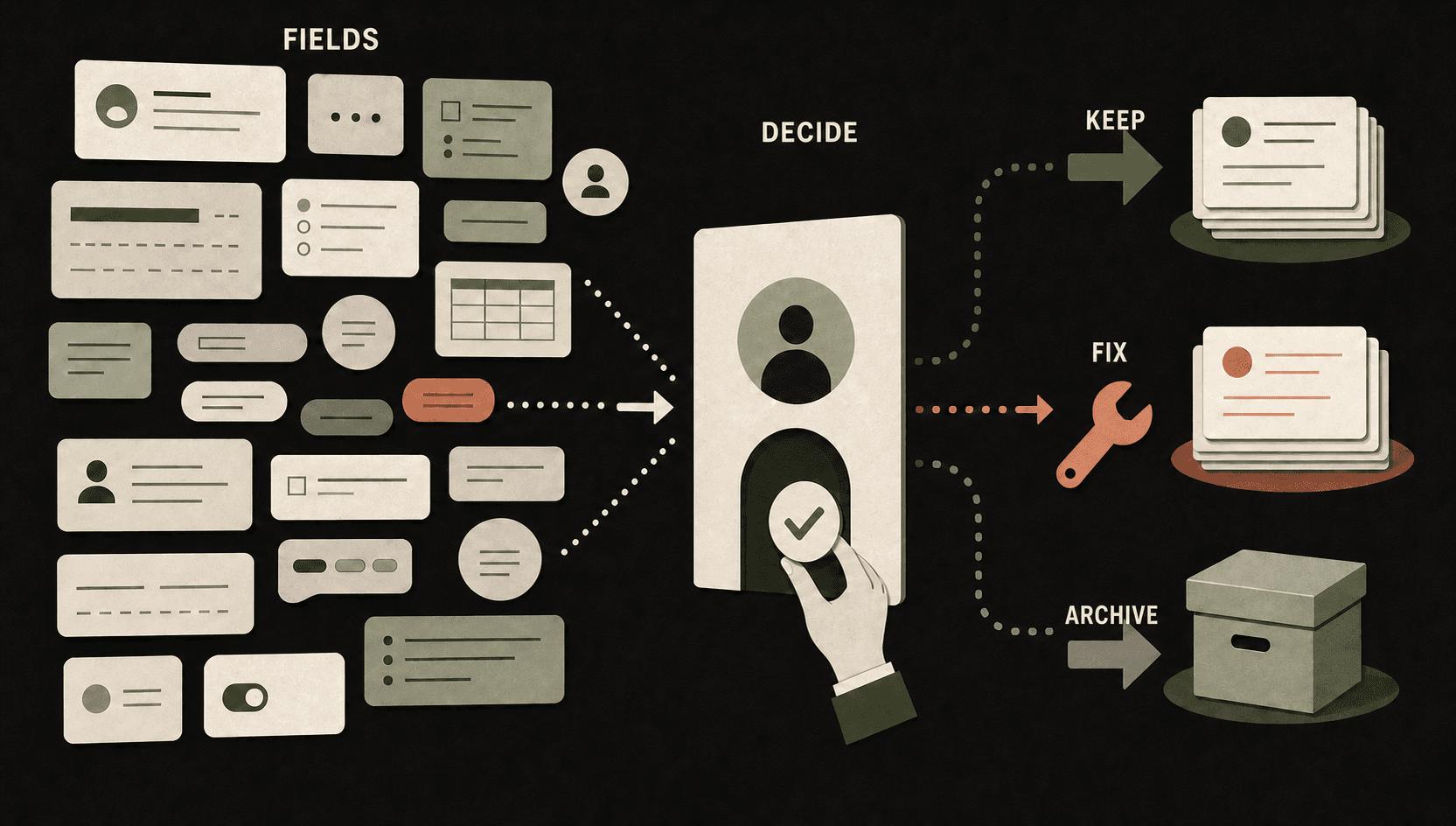
A simple field decision register should contain:
The business owner is important. A migration lead can map “Lifecycle status,” but only the team can decide what it means and when it changes.
Technical mapping without operational ownership creates neat-looking fields that quietly become optional opinions.
Protect identities and relationships
Most migration damage is not a dramatic failure screen. It is a relationship that did not survive.
A person arrives without the correct company. A deal loses its owner. An activity attaches to the wrong record. Two versions of the same customer appear because the import used names instead of stable identifiers.
Before the first test, decide how each object is matched. Email addresses and company domains are common identifiers, but the right choice depends on your CRM, data model, and data quality. Existing record IDs may matter when updating records already created in the destination.
Then document the import order. Companies may need to exist before deals can link to them. People and companies may be imported together in one platform but require separate steps in another.
Do not rely on memory here. Write the order down.
Run the migration three times
One giant import is quick in the same way that skipping a pre-flight check is quick.
A safer CRM migration has three passes.
1. Sample. Select a small but awkward group of records. Include duplicates, empty fields, multiple relationships, closed deals, open deals, unusual owners, and older activity. A sample of only perfect records proves very little.
2. Validate. Import the sample and compare source to destination. Check record counts, field values, relationships, owners, dates, pipeline stages, permissions, and the views people will actually use. Let real users inspect familiar records.
3. Migrate. Correct the mapping, rerun the sample if needed, then perform the full cutover. Reconcile counts and exceptions again before declaring victory.
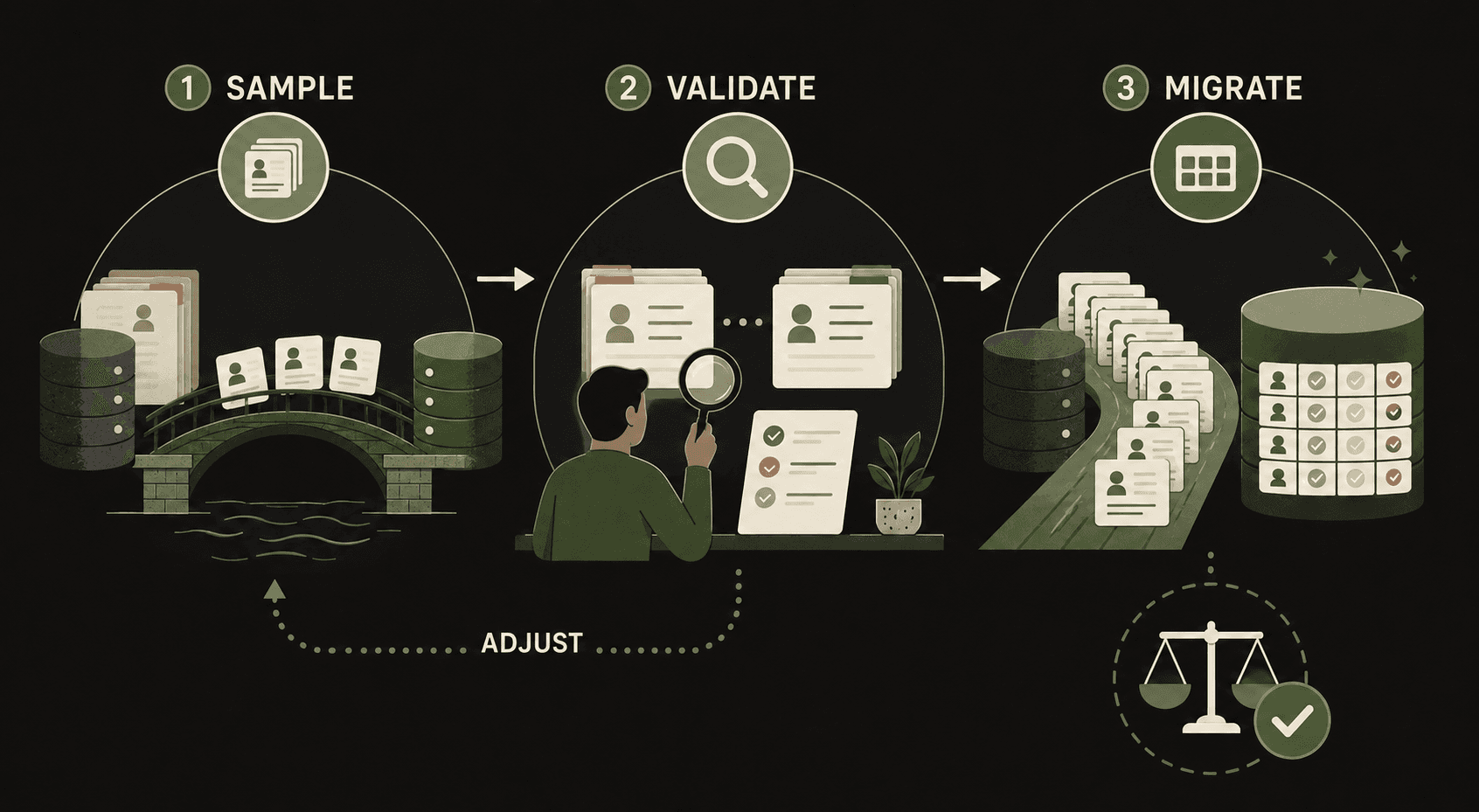
The validation step stays human-reviewed. Automation can compare counts, flag missing identifiers, detect invalid formats, and produce an exception list. A person still decides whether a difference is acceptable and whether the process makes sense in daily work.
Test the workflow, not only the records
A migration can preserve every field and still break sales operations.
Take one representative lead and move it through the new process:
This is where adoption becomes visible. If a user needs six clicks and a private spreadsheet to complete the process, the migration is not finished.
Plan the cutover and the first week
The cutover needs a short operating plan, not just a calendar invitation.
Define the final export time, the temporary edit freeze, the person who can approve exceptions, the rollback point, and where issues will be logged. Keep the old system read-only for an agreed period where possible.
Then watch the first week closely.
Which fields stay empty? Which views are ignored? Which automations produce exceptions? Which team members return to the old workaround?
Those are not annoying edge cases. They are feedback on the design.
Fix the high-friction parts before adding more automation. A smaller CRM that the team trusts is more valuable than a complete migration nobody wants to touch.
A 30-minute CRM migration check
Before you approve a migration plan, ask:
If several answers are “not yet,” pause the full import.
That pause is not migration delay. It is the cheapest point to fix the system.
If you are preparing a move to Attio, HubSpot, Zoho, or rebuilding a CRM after a messy migration, inspect the decisions before the data. Promptfields can help you review the model, mapping, and follow-up workflow before the cutover becomes expensive.